All seven FEMA Lifelines. Real-time status.
Track every FEMA Community Lifeline in one view — with AI-assisted status recommendations and a direct connection to your reimbursement workflows.
The problem
Lifeline tracking shouldn't live in spreadsheets
Most agencies track lifeline status across spreadsheets, email chains, and whiteboards. When FEMA asks for an update, you're scrambling to compile data from a dozen sources.
Manual status tracking
Lifeline data arrives from field teams, utilities, hospitals, and partner agencies in different formats across disconnected systems.
No connection to costs
Lifeline restoration lives separately from FEMA PA tracking. No way to map recovery spending to actual community restoration.
Reporting takes hours
Every briefing requires manually pulling data, reformatting it, and hoping nothing is stale by the time you present.
At-a-glance situational awareness
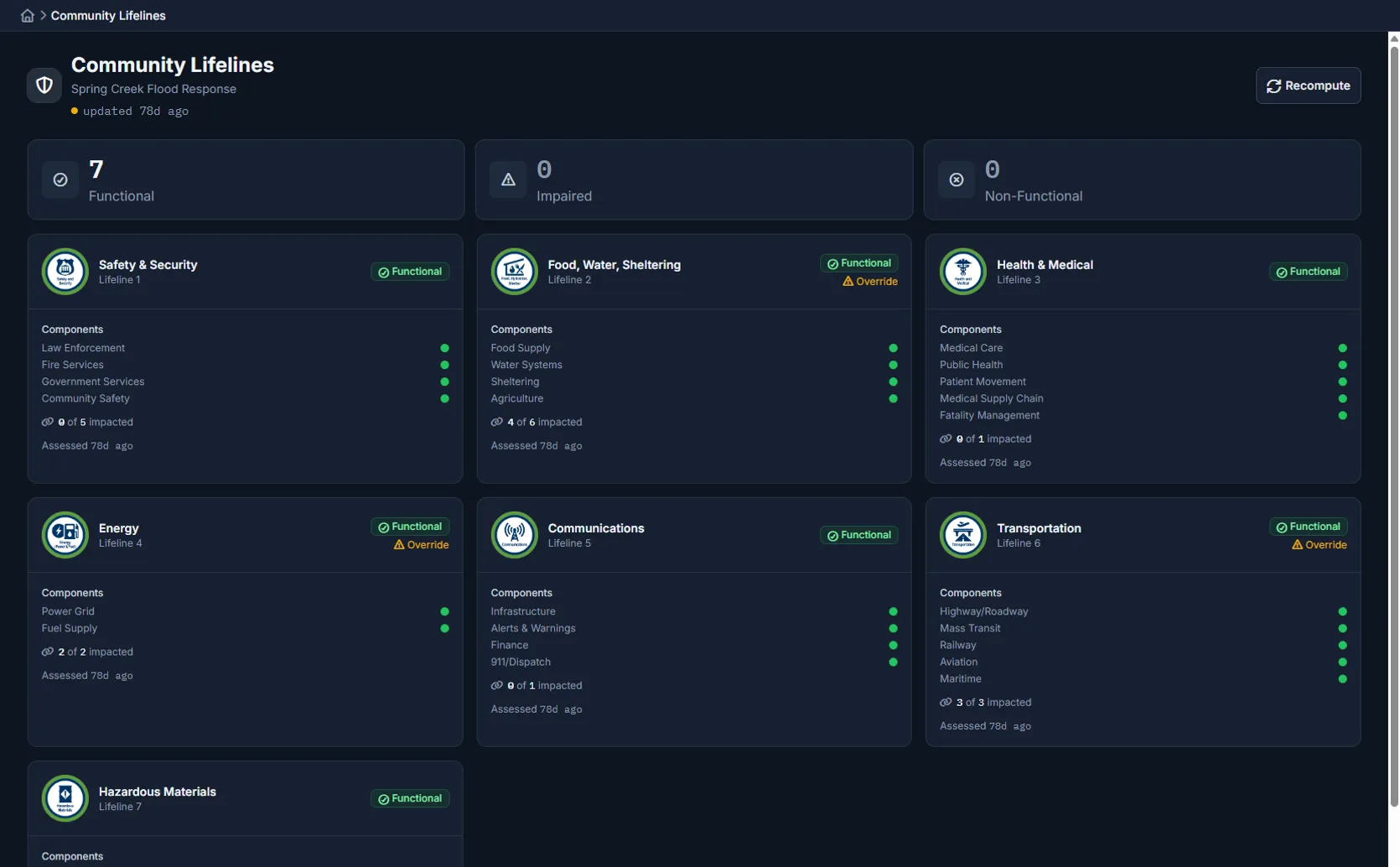
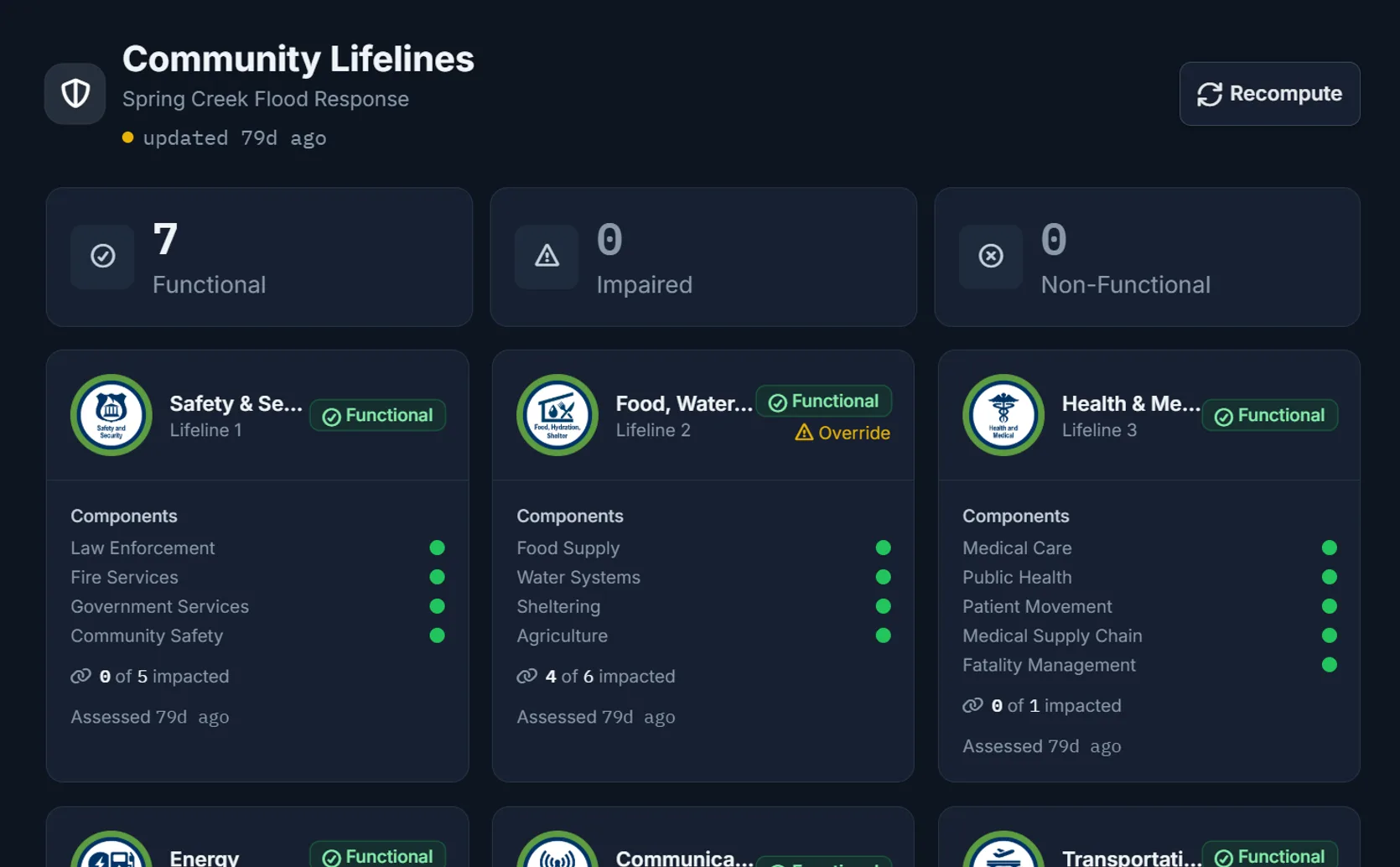
Color-coded status across every lifeline
Green, amber, and red indicators with FEMA iconography. Drill into sub-components and see linked entity impact counts instantly.
Safety & Security
Law Enforcement, Fire Services, Government Services, Community Safety
Food, Water & Sheltering
Food Supply, Water Systems, Shelter Operations, Agriculture
Health & Medical
Medical Care, Public Health, Patient Movement, Medical Supply Chain, Fatality Management
Energy
Power Grid, Fuel Supply
Communications
Infrastructure, Alerts & Warnings, Finance, 911/Dispatch
Transportation
Highway/Roadway, Mass Transit, Railway, Aviation, Maritime
Hazardous Materials
Facilities, HAZMAT, Pollutants/Contaminants
AI-powered assessment
AI recommends. Operators decide.
AI analyzes infrastructure, outages, road closures, shelters, and HAZMAT data to recommend lifeline status with a written rationale.
- Structured AI rationale operators can review before accepting
- Accept or override — every decision documented with reason
- Rule-based fallback if AI is unavailable (worst-status-wins)
- Debounced reassessment when linked entities change
- Automatic degradation alerts when status worsens
Live entity linking
Five data sources feed lifeline status automatically
Data from across your operations feeds into lifeline status automatically. You set the rules for what matters most in your jurisdiction.
Critical Infrastructure
Hospitals, government buildings, utilities, schools
Utility Outages
Electric, water, telecom, gas, sewer
Road Closures
All closure types with severity levels
Shelters
Occupancy, capacity, and operational status
HAZMAT Releases
Chemical name, status, and containment
Built for operations
Real-time updates. Full audit trail. Zero guesswork.
AI-powered status assessment
AI reviews your data and recommends a status for each lifeline with a written explanation. You accept, adjust, or override — every decision is documented.
If AI is unavailable, the system automatically falls back to rule-based assessment so tracking never stops.
Five data sources feed status automatically
Infrastructure status, utility outages, road closures, shelter occupancy, and hazmat incidents automatically feed into lifeline status — with rules you can configure for your jurisdiction.
See impact at a glance — like "3 of 12 hospitals affected" — updated in real time.
Status updates in real time
When a lifeline status changes, everyone sees it immediately. The dashboard refreshes automatically and alerts you when conditions worsen.
Automatic degradation alerts notify your team when any lifeline status drops.
Full audit trail
Every status change is permanently recorded — who changed it, when, and why. Timeline shows the history for each lifeline with overrides clearly marked.
Every AI recommendation and operator decision is permanently recorded.
Connected recovery
Lifeline data feeds your FEMA workflows
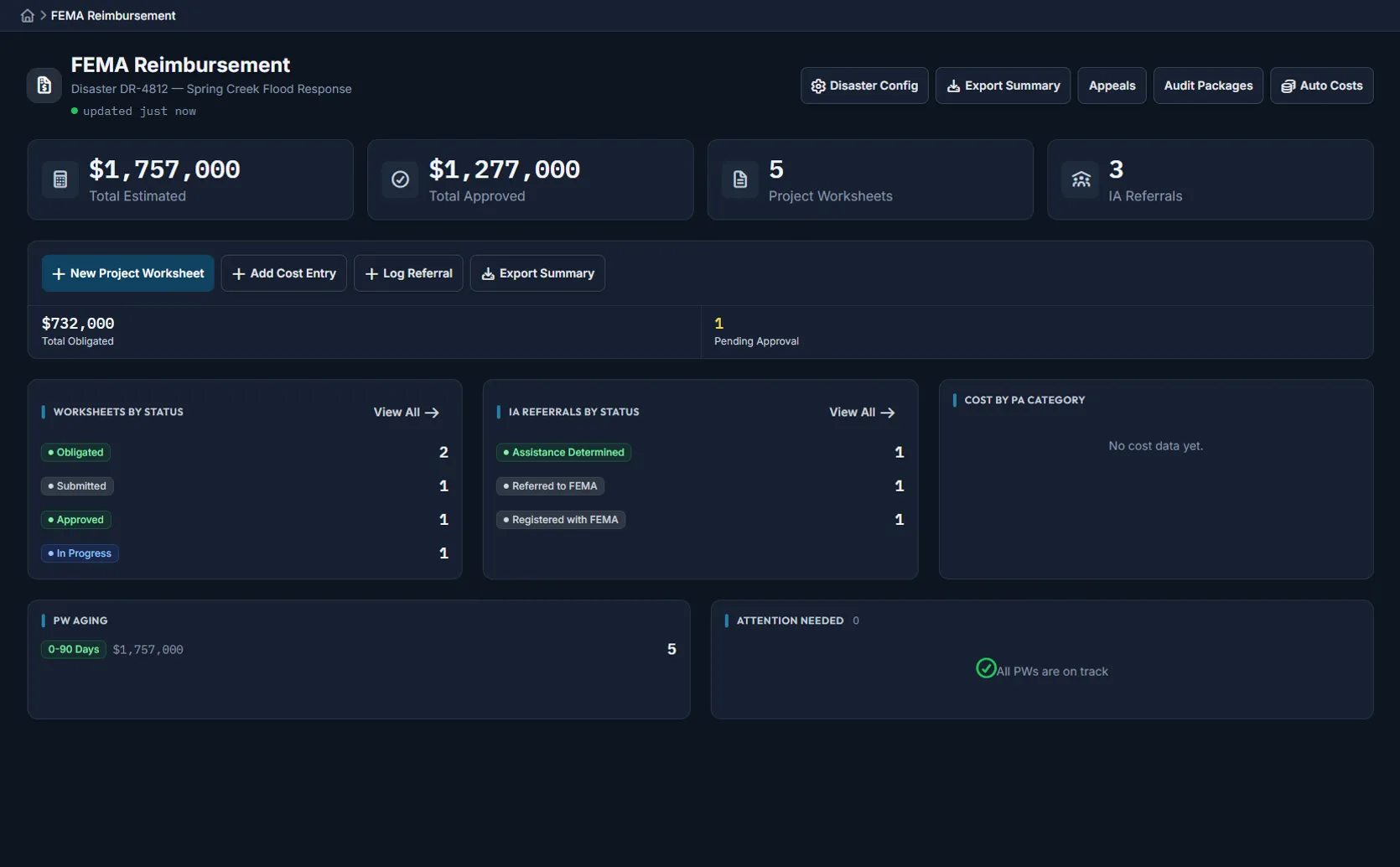
Lifeline status connects to the same recovery engine that tracks FEMA PA categories, force account documentation, and project worksheets.
- Damage assessments update lifeline status automatically
- Costs tracked by PA category (A–G) during response
- Force account labor and equipment rates flow into worksheets
- ESF crosswalk shows primary and secondary ESF relationships per lifeline
- Recovery restoration chart tracks progression over time
- Embeddable widget for custom EOC dashboard layouts
Not a standalone tool
Part of the complete Command Bridge platform
Lifelines tracking is one piece of an integrated recovery and finance suite inside the full emergency operations platform.
FEMA PA reimbursement tracking
Costs by PA categories A–G with federal, state, and local cost share calculations.
Force account documentation
Labor hours and equipment usage documented as they happen, with rate schedules ready to submit.
Structured damage assessments
FEMA eligibility determination, severity ratings, and photo documentation in one workflow.
Infrastructure status tracking
Roads, bridges, utilities, and critical facilities with restoration timelines.
After-action reviews
Corrective action tracking with deadlines and completion monitoring.
Custom report builder
16 data sources, custom filters, chart types, PDF/CSV export with agency branding.
Security & access control
Secure. Controlled. Auditable.
Your data stays yours
Your agency's lifeline data is completely separated from every other agency at the database level.
Separate view & edit permissions
Role-based access controls who can view lifeline status and who can change it.
Custom lifeline support
Add lifelines beyond the FEMA standard 7 for jurisdiction-specific services.
See FEMA Lifelines tracking in action
Start a free 90-day trial and explore lifeline tracking, AI-assisted status assessment, and the full recovery suite.