Every dollar tracked. Every hour documented. During the response.
Because field teams document damage, hours, and costs during the response, your finance section isn't starting from scratch. Project worksheets are ready for submission — not reconstruction.
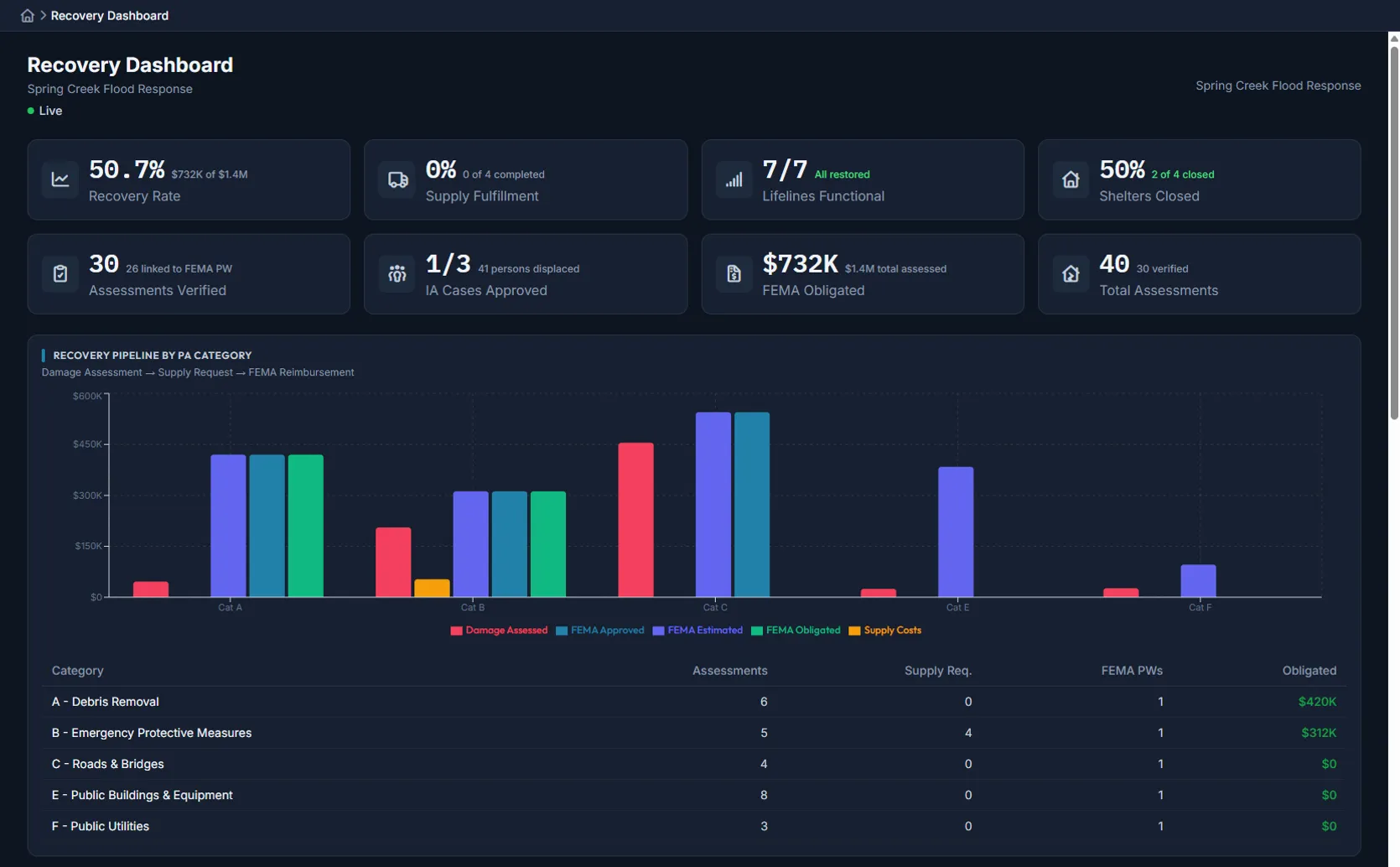
The problem
Recovery documentation shouldn't start after the response ends
When response data doesn't flow into recovery workflows, your finance team rebuilds everything from scratch.
Recovery starts from scratch
Response data doesn’t flow into FEMA worksheets. Your finance team rebuilds documentation from memory weeks after the event.
Costs tracked after the fact
Labor hours, equipment usage, and supply costs are reconstructed from timesheets and receipts. Numbers don’t match. Documentation has gaps.
Cost share confusion
Federal, state, and local shares calculated manually in spreadsheets. One mistake in the split and your reimbursement request gets delayed.
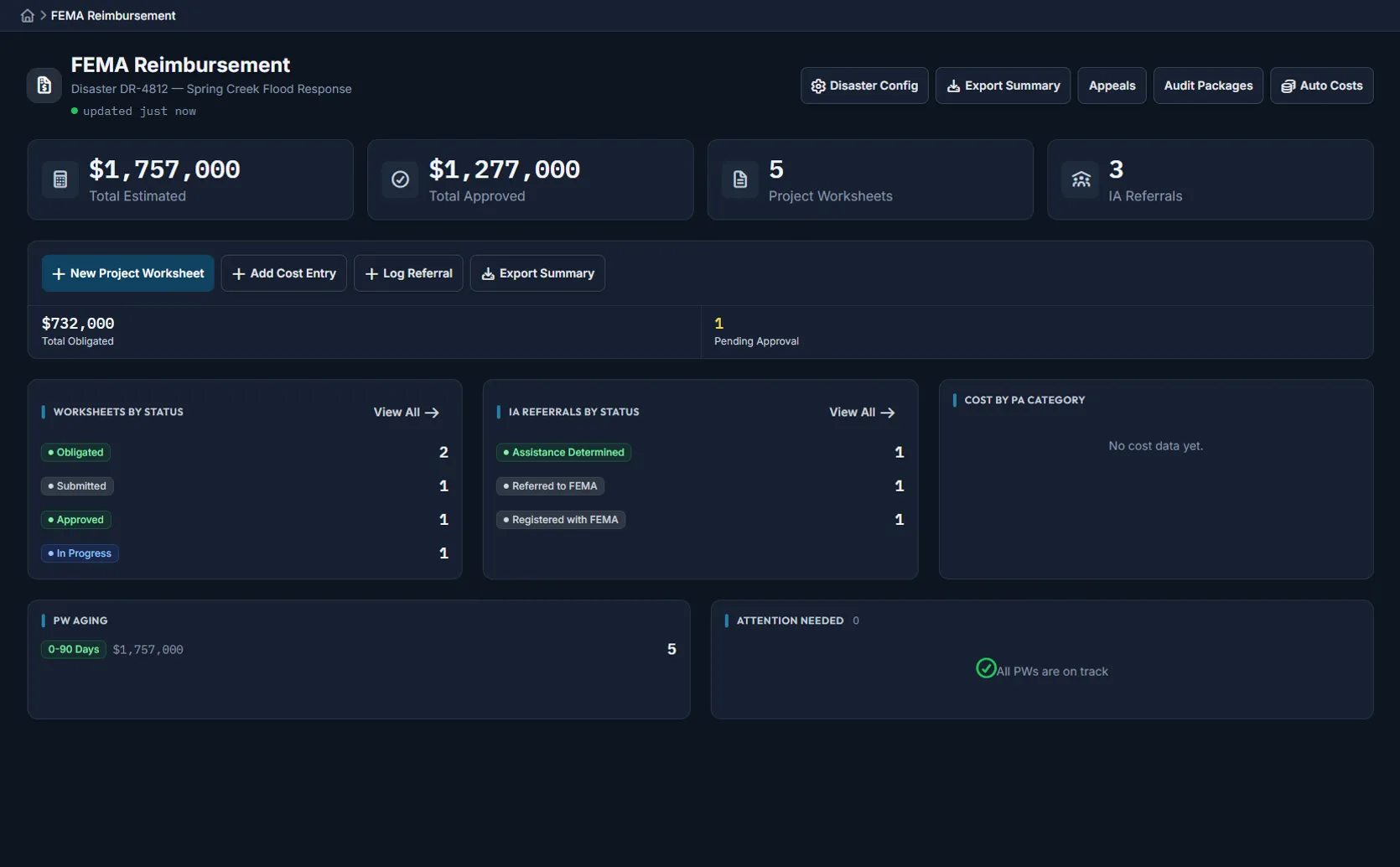
Cost tracking by category
FEMA PA categories tracked in real time
Costs organized by FEMA Public Assistance category (A through G) as they happen during operations.
Submission-ready documentation
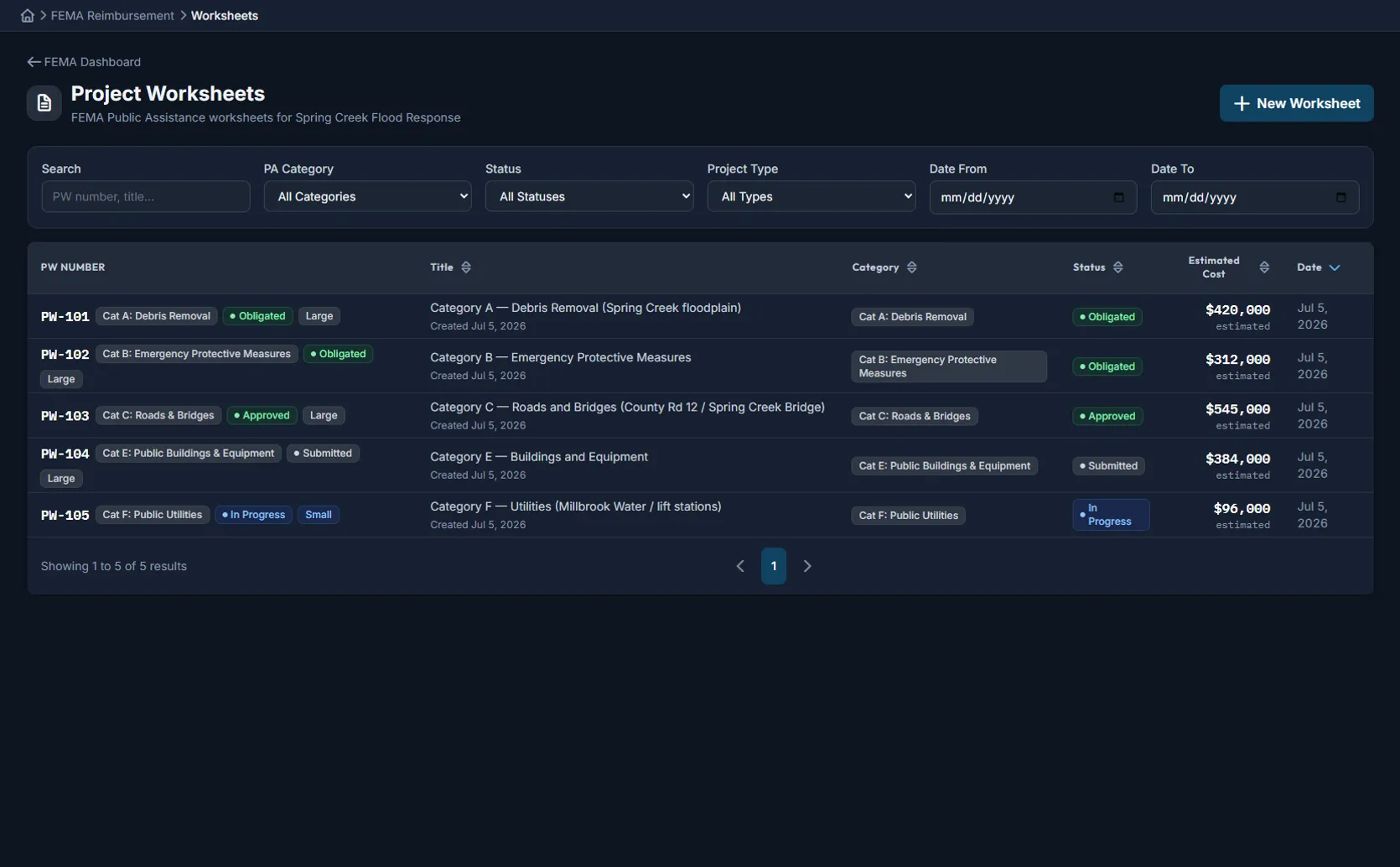
Project worksheets ready for submission
Response data flows directly into project worksheets with automated cost aggregation and cost share calculations.
Built for recovery
Track, document, calculate, and export
PA category tracking
Costs automatically organized by FEMA PA categories A through G as they’re incurred during response.
Real-time documentation
Force account labor, equipment, and supply costs documented as they happen, not reconstructed later.
Cost share math
Federal, state, and local shares calculated automatically based on declared cost share percentages.
FEMA-ready export
Formatted reports and documentation packages ready for FEMA submission.
Not a standalone tool
Part of the complete Command Bridge platform
Recovery and finance tracking connects to field operations, incident management, and every other module in the platform.
Field operations
Damage assessments and resource requests from the field feed directly into recovery cost tracking.
FEMA Community Lifelines
Lifeline status updates connect to PA category costs for a complete response-to-recovery picture.
Digital ICS forms
ICS-214 activity logs and resource tracking data flow into force account documentation.
Unified operational map
Damage locations, infrastructure status, and resource positions tied to cost documentation.
Notifications & alerts
Automated alerts when cost thresholds are reached or documentation deadlines approach.
Incident lifecycle management
Operational periods and staff assignments connect directly to labor hour tracking.
See recovery tracking in action
Start a free 90-day trial and see how response data flows directly into FEMA-ready documentation.