Every data layer. One operational map.
15+ weather sources, real-time GPS tracking, damage reports, road closures, and resource deployments — all on a single interactive canvas.
The problem
You can't manage what you can't see
Scattered data, disconnected teams, and static maps turn situational awareness into guesswork.
Data scattered across systems
Weather on one screen. Personnel on another. Damage reports in a spreadsheet. When conditions change, you’re switching tabs instead of making decisions.
No shared view
Command sees one thing, field teams see another. Without a common operating picture, coordination breaks down when it matters most.
Static maps can’t keep up
Paper maps and whiteboards don’t update themselves. By the time you’ve plotted the data, the situation has already changed.
Unified operational map
One map. Every team. Real time.
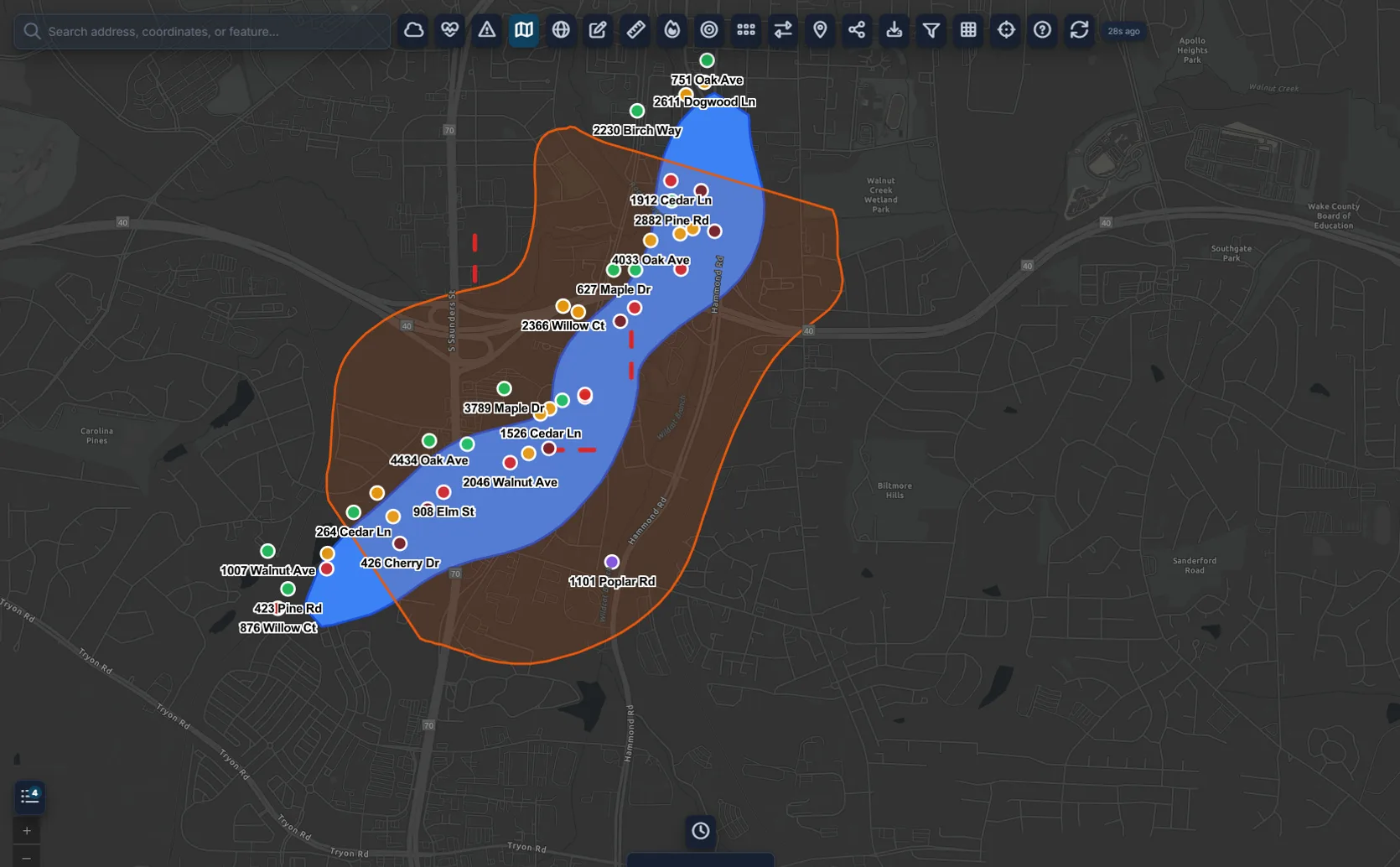
Every data source your team relies on — personnel locations, weather overlays, damage assessments, road closures, shelter status, and resource deployments — rendered on a single interactive map that updates in real time.
Weather intelligence
Weather intelligence from 15+ sources
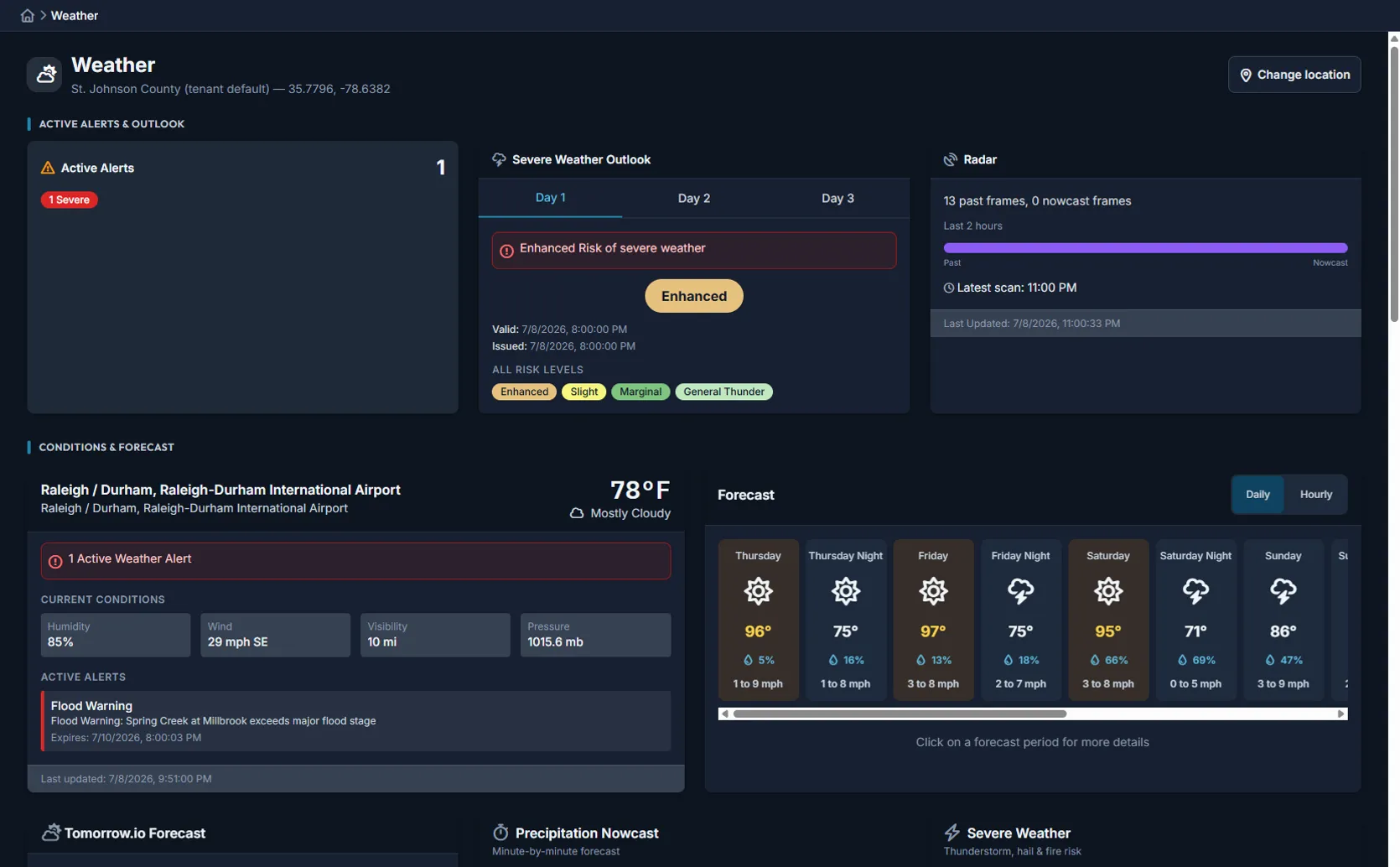
Live weather data from the National Weather Service, river gauges, air quality monitors, and fire weather stations — integrated directly into your operational map with threshold-based alerts and automation triggers.
Built for operations
Collaborate, analyze, and act — all on the map
Collaborative viewing
Multiple users view the same map region simultaneously with live cursors. Point at something and everyone sees it.
Real-time cursor sharing keeps the whole team oriented.
Data layer control
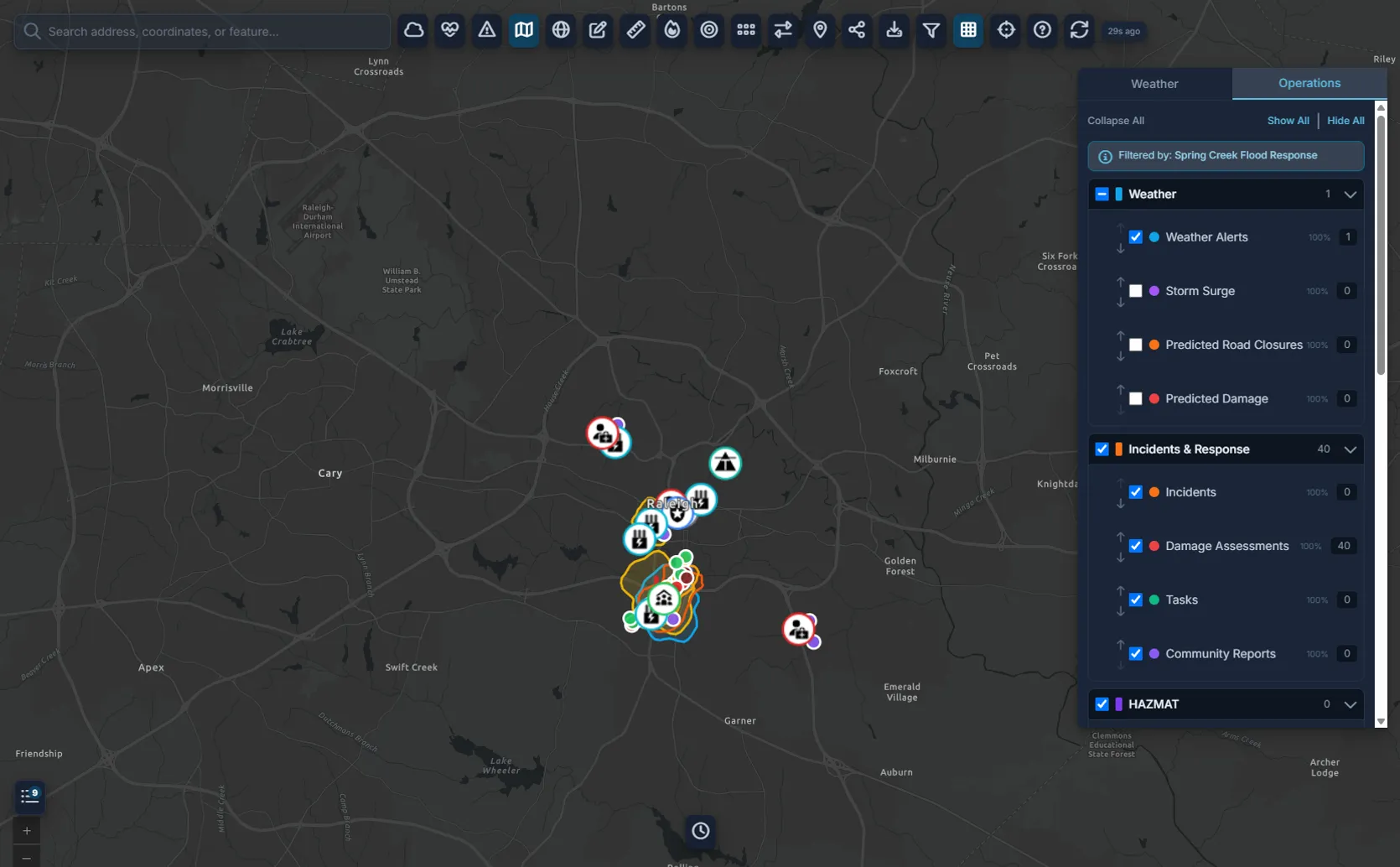
Toggle data layers on and off — personnel, weather, damage, road closures, shelters, infrastructure. See exactly what you need.
Save layer presets for different operational roles.
Spatial analysis
Measure distances, calculate areas, and draw evacuation zones directly on the map. Export annotations as GeoJSON.
Built-in tools for radius, polygon, and corridor analysis.
Fire behavior modeling
Rothermel-based fire spread prediction overlaid directly on your operational map with terrain and wind data.
Forecast fire perimeter growth to support evacuation planning.
Not a standalone tool
Part of the complete Command Bridge platform
The operational map connects to incidents, ICS forms, field operations, notifications, and recovery tracking.
Incident lifecycle management
Activation to closure with staff assignments and operational periods.
Digital ICS forms
Auto-filled forms with collaborative editing, digital signatures, and FEMA-compliant PDF export.
Field operations
Mobile app that works offline for damage assessments, shelter check-ins, and supply requests.
Multi-channel notifications
Text, email, voice, and push notifications with delivery tracking.
Recovery & FEMA tracking
PA category costs, force account docs, and FEMA Lifelines dashboard.
Automation & AI
Workflow builder, weather-triggered automations, and AI summaries.
See the operational map in action
Start a free 90-day trial and see how one map replaces your patchwork of situational awareness tools.